VS Code Extension
The covdbg extension for Visual Studio Code measures C++ code coverage on Windows from inside the editor. It runs your real test executables under covdbg, which works from the debug information your Debug build already produces: no instrumented build, no compiler flags. The result shows in the editor, in a Coverage view, and in a report.
Install covdbg for VS Code from the Visual Studio Marketplace
The extension is free and open source under the Apache 2.0 license. Its source is at liasoft/covdbg-vscode.
Features
Run coverage with one click
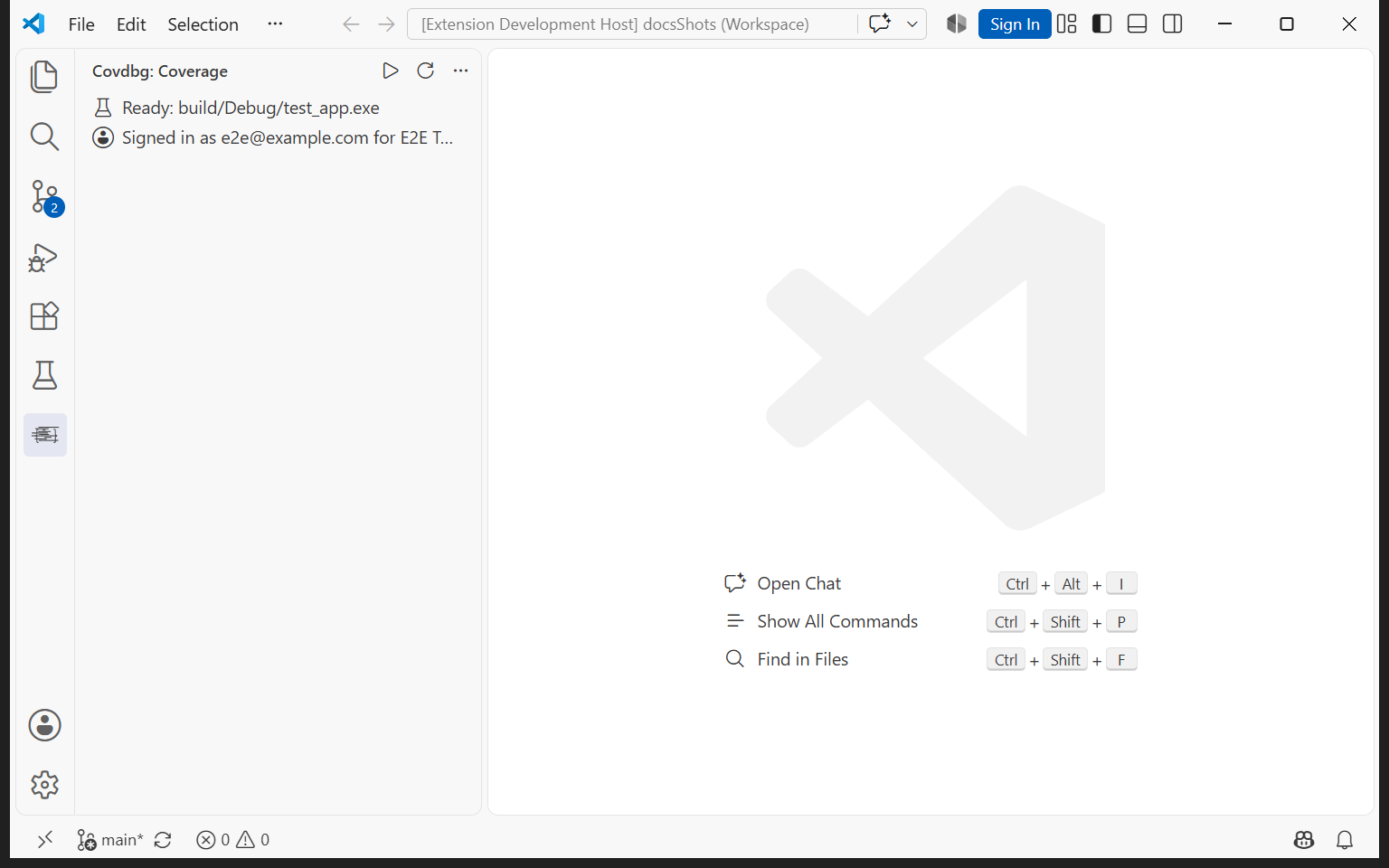
The extension adds a covdbg icon to the activity bar. Its Coverage view finds the test executables in your build folder and shows what it will run. Press ▶ in the view's title bar to run them with coverage. If more than one test executable is found, pick the ones to run; the choice is remembered, and the next ▶ runs the same ones again. Choose Executable… in the view's menu changes the choice, or browses to one that was not found.
Coverage in the editor
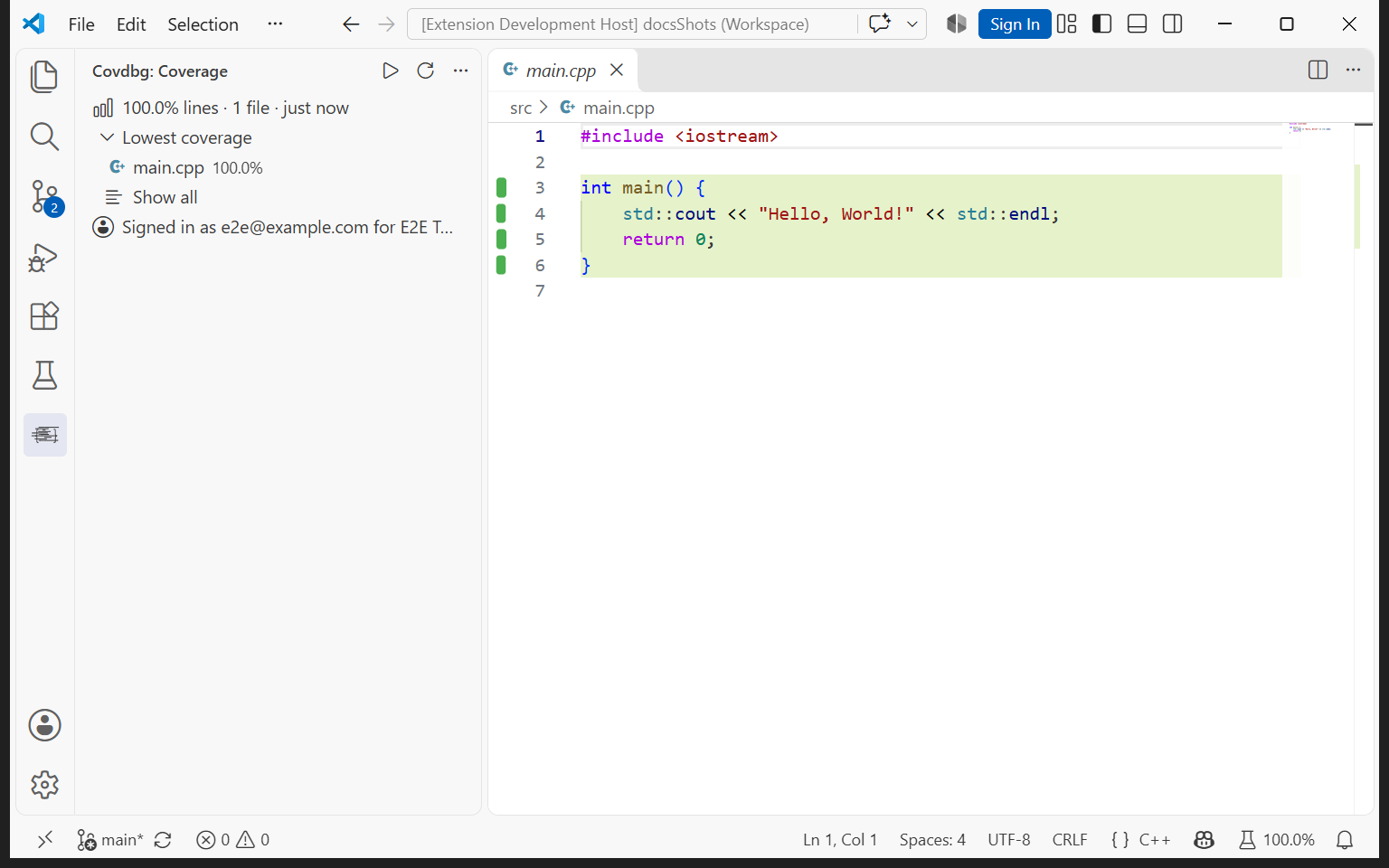
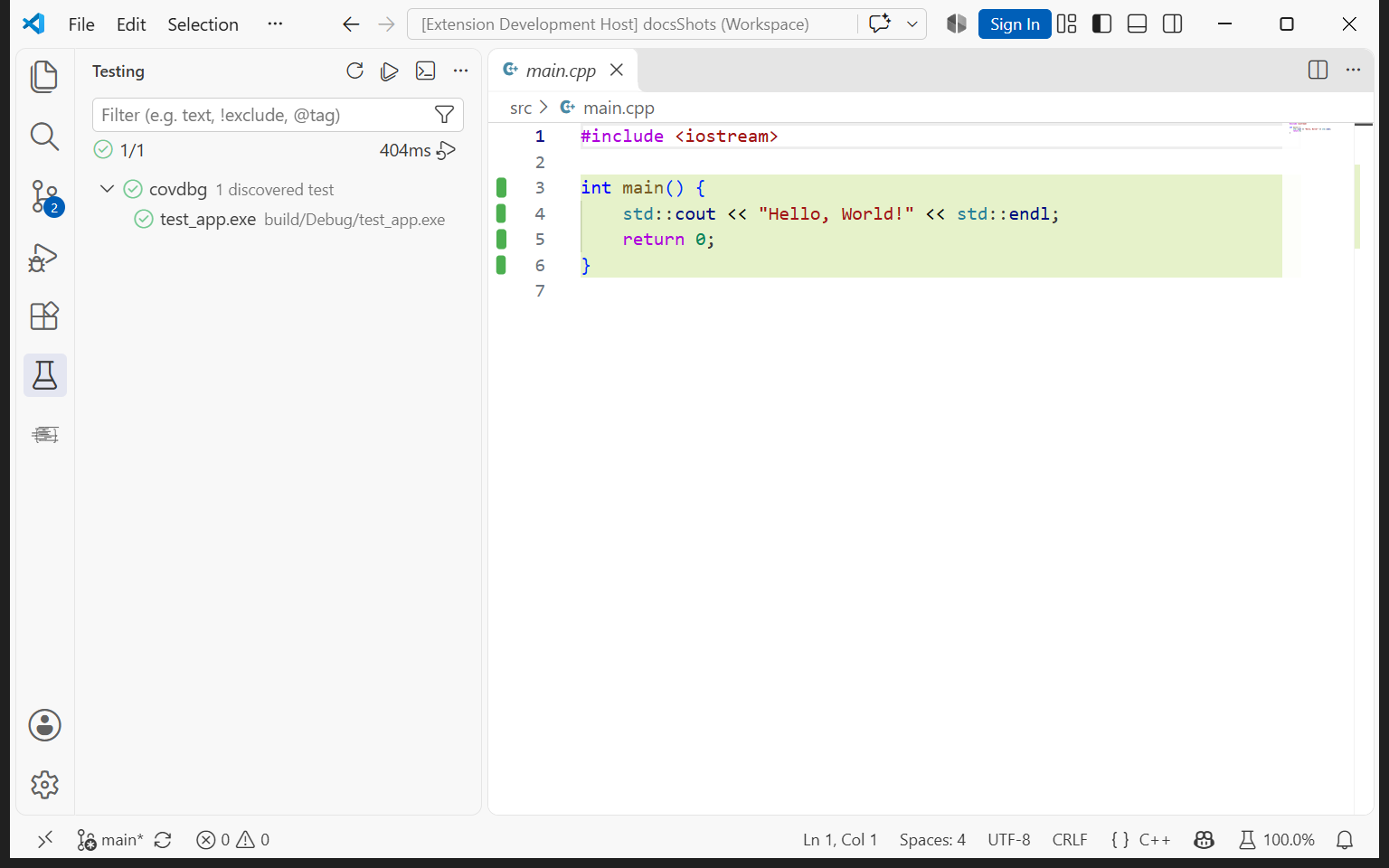
After a run, covered and uncovered lines show in the editor: as marks in the gutter, as line highlights, or both. The Coverage view shows the total line coverage, the files with the lowest coverage, and who is signed in. The status bar shows the total too.
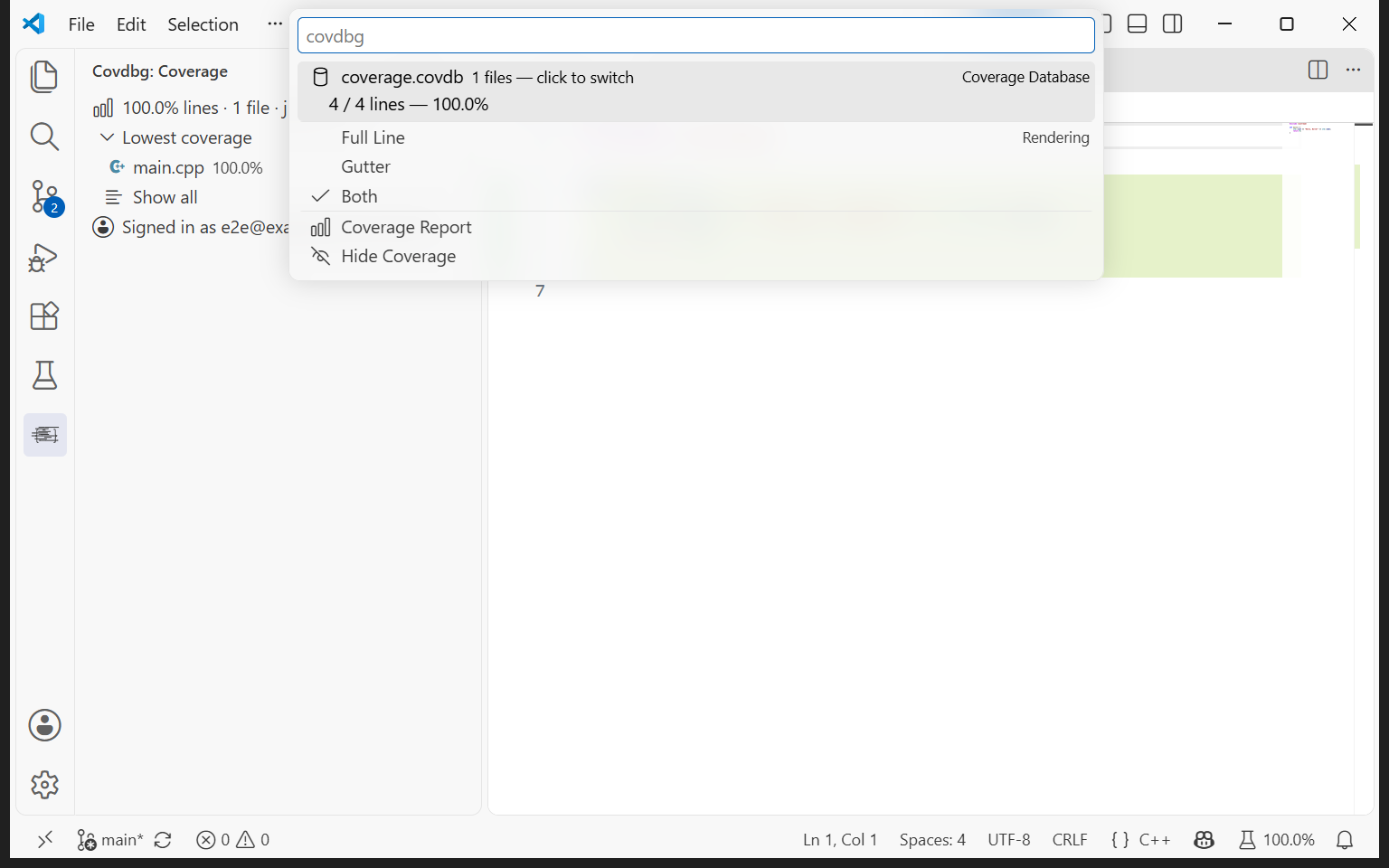
Click the coverage in the status bar to open the covdbg menu. It switches between the gutter, line highlights and both, hides or shows the coverage, switches to another .covdb in the workspace, and opens the report.
A coverage report
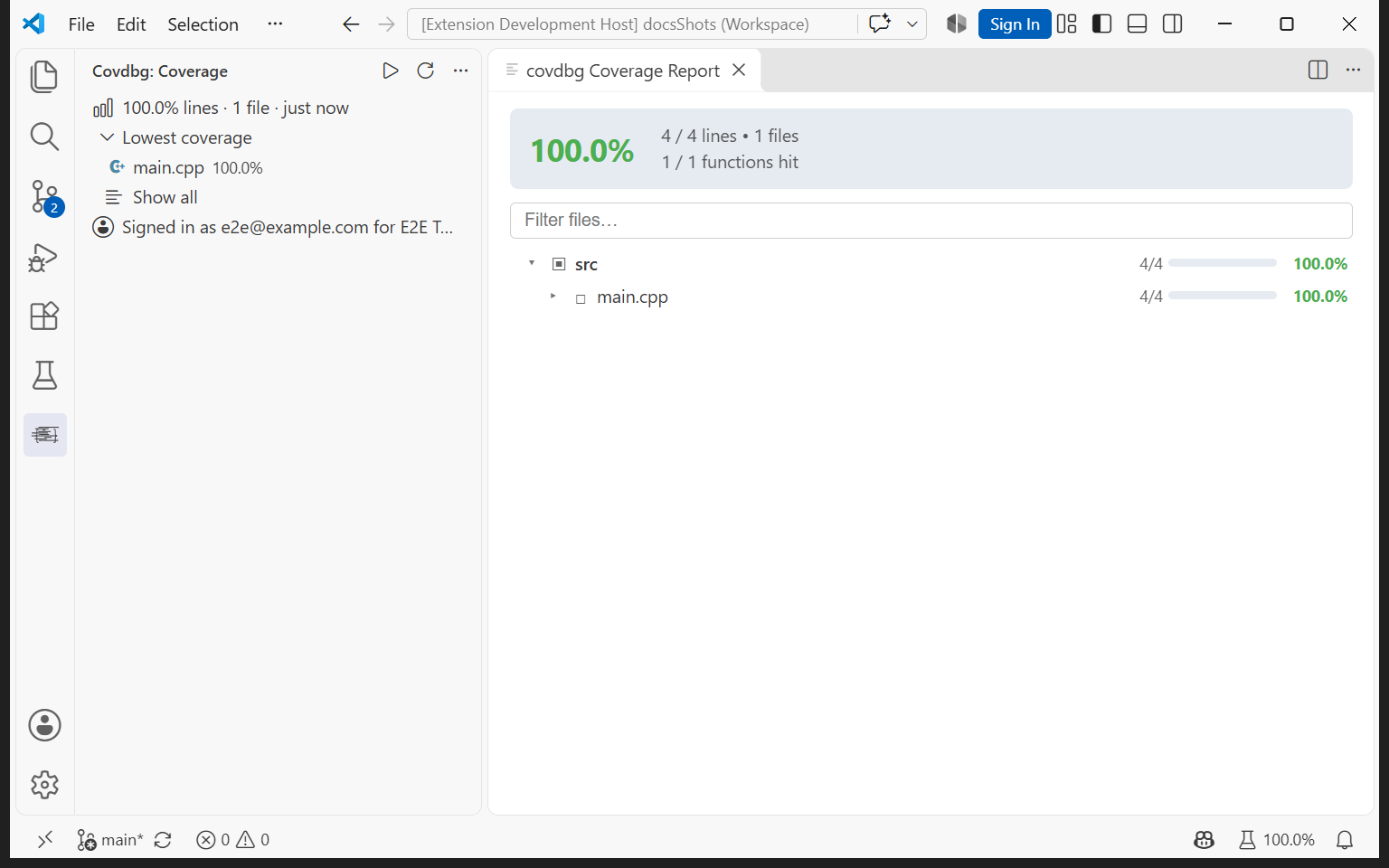
Show Coverage Report opens a report inside VS Code with the line and function totals and a tree of folders and files with their coverage. Filter the files by name and drill down when the line marks in the editor are not enough.
For a report to share outside the editor, export an HTML report with the covdbg CLI.
Run from the Testing view
Discovered test executables also appear in VS Code's Testing view, under covdbg, with a Run with Coverage profile. A run from there writes the same coverage the Coverage view shows. Test Results reports how the run went, with a Show Log button for covdbg's output.
Load existing coverage
The extension loads .covdb files it finds in the workspace, including ones written by covdbg on the command line or in CI, and reloads them when they change. Load .covdb… in the Coverage view's menu opens any other one. Viewing existing coverage also works in Restricted Mode, without trusting the workspace.
AI agents through MCP
covdbg includes an MCP server, and the extension offers it to VS Code automatically: there is nothing to install or configure. In a trusted local window, it appears as covdbg under MCP: List Servers. Agents in VS Code can then run a test executable with coverage, list the files with the most uncovered lines, read the uncovered code with its context, and query a coverage database.
A run an agent starts writes to the same .covdb as runs from the editor, unless the agent names another output path, so its results load into the editor on their own. Agent runs are licensed like your own.
Requirements
| Requirement | Supported |
|---|---|
| VS Code | 1.140 or newer, in a local window |
| Platform | Windows, x64 and ARM64 |
| Build | A Debug build of your tests, with debug information |
| covdbg | 1.4 or newer. The extension bundles a copy and uses it when no installed covdbg is found |
| Licensing | A signed-in developer, or COVDBG_PROJECT_TOKEN in the covdbg.runner.env setting |
| Workspace | Trusted, for runs. Viewing existing .covdb files works in Restricted Mode |
The extension looks for covdbg in this order: the covdbg.executablePath setting, covdbg.exe on PATH, the usual install folders, and then the copy bundled with the extension. An older covdbg is reported as too old. On Windows on ARM, the Marketplace installs a package that bundles the ARM64 covdbg, which measures ARM64 programs; elsewhere the bundled covdbg is the x64 one, which measures x64 and 32-bit x86 programs. To install covdbg yourself, see the download page.
Remote windows (WSL, SSH, containers) are not supported: covdbg runs only in a local window.
Getting started
-
Install the extension from the Visual Studio Marketplace, or search for covdbg in the Extensions view. Its ID is
covdbg.covdbg. -
Open your C++ folder and build your tests as a Debug build. The extension starts when the folder has a
CMakeLists.txt, a.sln, a.vcxproj, a.covdbg.yamlor a.covdbfile. -
Press ▶ in the Coverage view.
-
Sign in once. If you are not signed in, the Coverage view offers Sign in, and ▶ starts the sign-in too. Your browser opens with a code filled in; confirm it there. If you have already run
covdbg loginon the command line, there is nothing to do: the extension uses the same sign-in.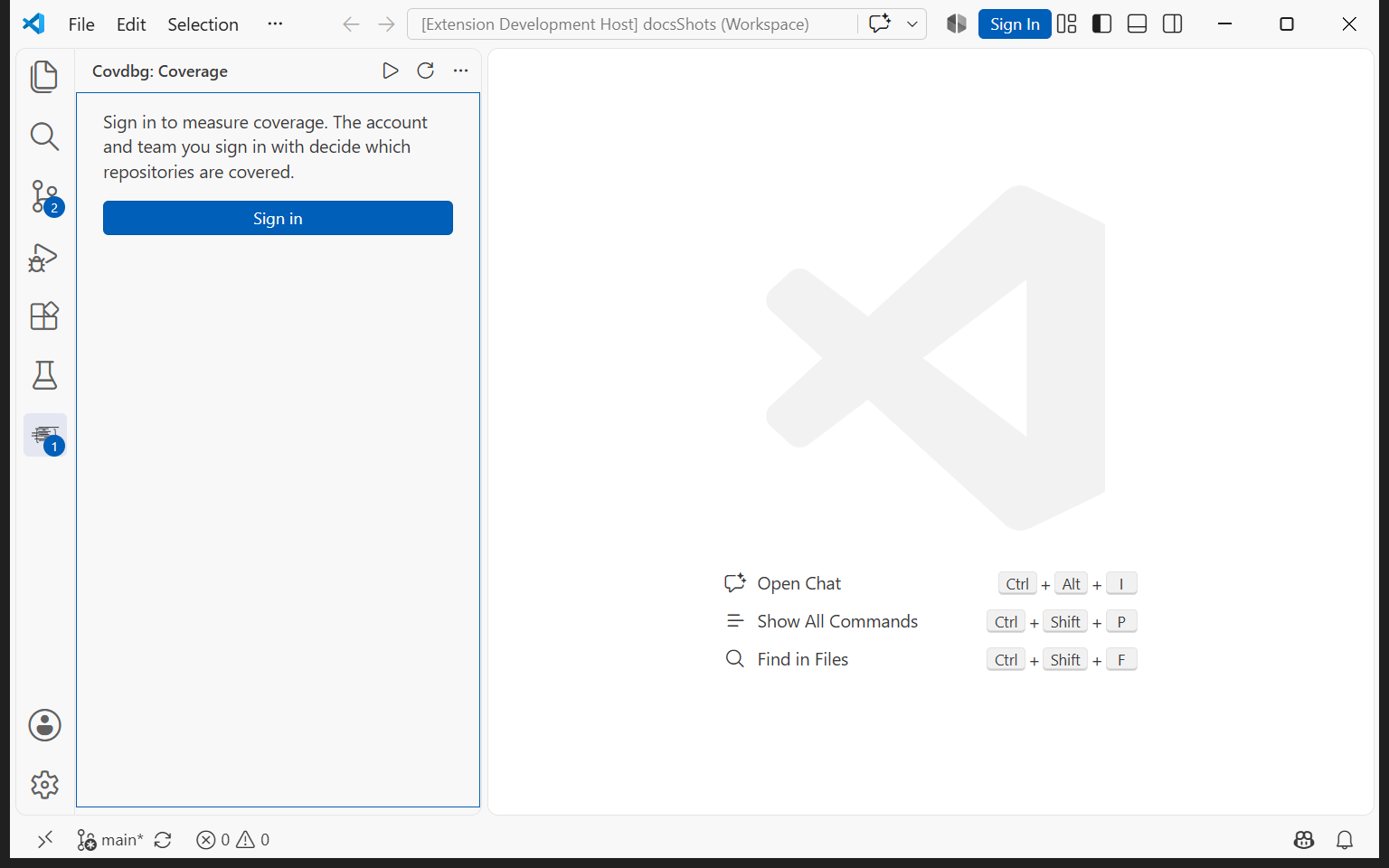
-
Create the configuration. If the folder has no
.covdbg.yaml, the extension offers to create a starter one, and the run continues. Coverage then appears in the editor and the Coverage view.
The starter .covdbg.yaml counts every source file your debug information names, except the Windows SDK, the MSVC toolchain and runtime sources, and vendored dependencies. To count only your own code, list it under include. Open or Create .covdbg.yaml in the Coverage view's menu opens it; the configuration reference has every option.
Settings
Settings are under Settings | Extensions | covdbg, or Open Settings in the Coverage view's menu.
| Setting | Effect |
|---|---|
covdbg.executablePath |
Use this covdbg.exe instead of looking for one |
covdbg.renderMode |
Show coverage in the gutter (gutter, the default), as line highlights (line), or both (both) |
covdbg.covdbPath |
Load this .covdb. Otherwise the extension finds them with covdbg.discoveryPattern |
covdbg.showExternalFiles |
Include files outside the workspace, such as SDK headers, in the results |
covdbg.runner.targetArgs |
Arguments passed to the test executable |
covdbg.runner.configPath |
The .covdbg.yaml to use. Empty lets covdbg find it near the test executable |
covdbg.runner.outputPath |
Where runs write their .covdb. Empty uses .covdbg/coverage.covdb under the working directory |
covdbg.runner.workingDirectory |
The working directory of the run. Empty uses the workspace folder |
covdbg.runner.env |
Extra environment variables for runs, such as COVDBG_PROJECT_TOKEN |
covdbg.runner.binaryDiscoveryPattern |
Which executables count as tests. By default, executables with test in their name under build, out, x64 or cmake-build-* |
covdbg.runner.binaryDiscoveryExcludePattern |
Which of those to leave out. By default, Release and RelWithDebInfo build trees |
Troubleshooting
The Coverage view says what stands in the way of a run:
| What you see | What to do |
|---|---|
| covdbg 1.4 or newer is needed | Install covdbg from the download page, or point covdbg.executablePath at a newer one, then press Refresh |
| Sign in to measure coverage | Press Sign in and confirm the code in your browser |
| No test executable found | Build your tests, use Choose Executable…, or adjust covdbg.runner.binaryDiscoveryPattern |
| covdbg runs Windows executables locally, in a trusted workspace | Trust the workspace with Manage Workspace Trust |
| covdbg runs only in a local window, not a remote one | Open the folder in a local VS Code window |
| Add a git remote or make a first commit | covdbg names the repository a run belongs to by its git remote, or by its first commit when there is none |
| This run is not licensed | The license service refused the run. The notification offers the fix, such as signing in again |
Show Log, in Test Results or the command palette, shows the extension's log with covdbg's output for each run. Open covdbg.log in the Coverage view's menu opens covdbg's own log file. Clear Last Run removes the last run's result.
Licensing
The extension itself is free. Runs are licensed like any covdbg run: free for open source, free for personal use on one private repository at a time, and team seats for everything else. The sign-in is for one team (or your personal account) at a time, and the Coverage view shows it. To use another team, run covdbg login --team <slug> in a terminal; the extension picks the new sign-in up on refresh. A project token in covdbg.runner.env takes precedence over the sign-in. See pricing and the Licensing FAQ.
Feedback
Report problems with the extension at liasoft/covdbg-vscode issues. For covdbg itself, see support.