covdbg 1.3.0 for Windows
Download covdbg.
The same download works for open source, personal use, and teams. Install it, sign in with GitHub, and run your tests. There is no license key.
From download to your first report
Install
Run the MSI, or unzip the portable edition and add it to your PATH.
Sign in once
covdbg login opens GitHub in your browser. The sign-in tells the license service who is running covdbg. Public repositories are free for everyone who signs in.
Run your tests
covdbg -c .covdbg.yaml -o coverage.covdb tests.exe works with any x64 binary that has a PDB. The summary prints on the console and the database is ready to export.
Look at the report
Export an HTML report to browse locally, use LCOV or GCOV with your existing tools, or see coverage in the VS Code gutter.
Your first run
See your first coverage run.
The quick-start repository has a sample application, a configuration file, and a README that walks you through it in about ten minutes.
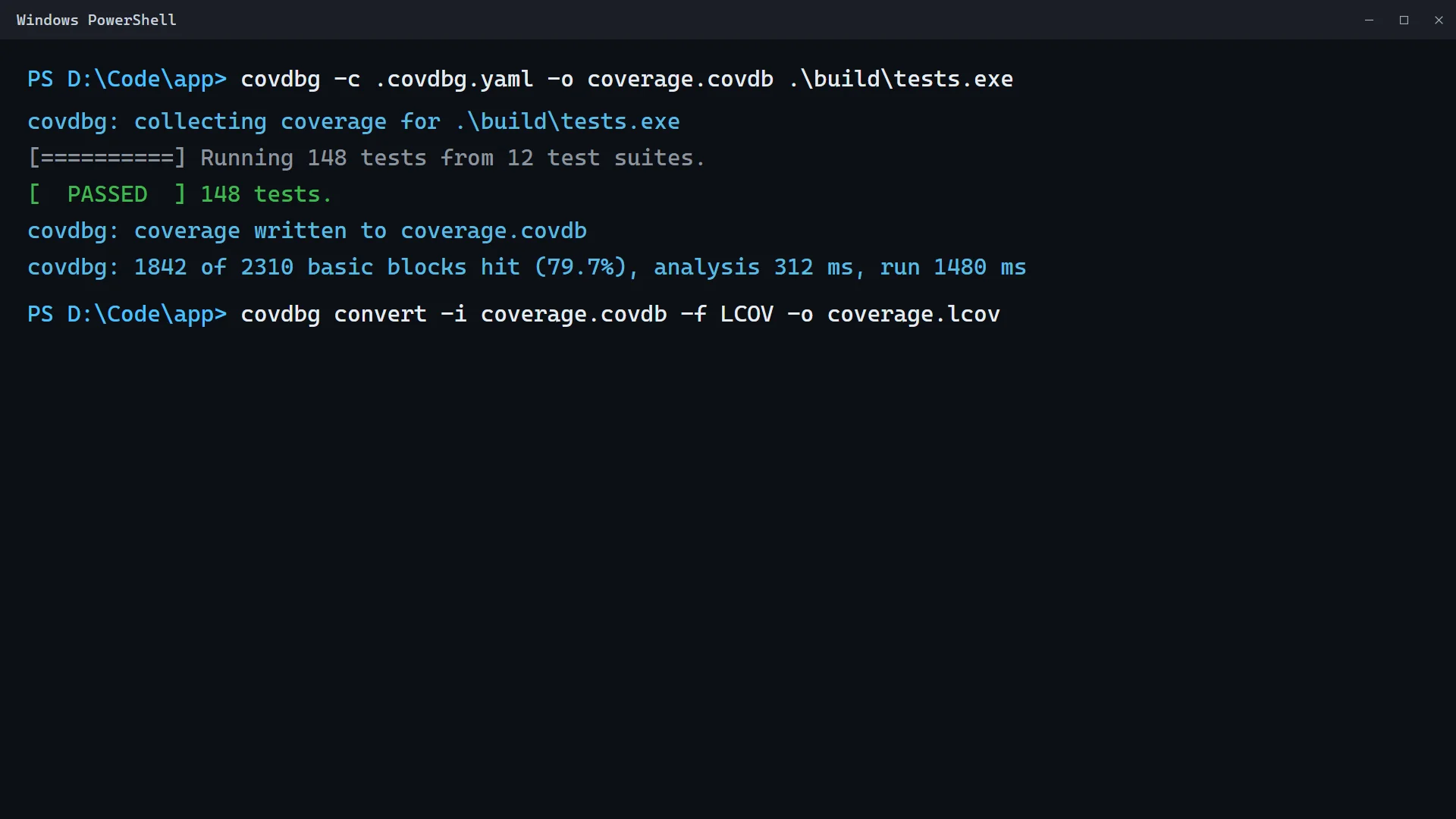
Read the workflow
Run your existing Windows executable with its PDB, collect coverage in a database, then convert it to LCOV for your reporting tools.
covdbg -c .covdbg.yaml -o coverage.covdb tests.exeSystem requirements
- Windows 10 or Windows 11 (64-bit)
- Windows Server 2016 or later
- 4 GB RAM (8 GB recommended)
- Binaries built with PDB debug information
Integrations
- MCP Server for coding agents
- GitHub Actions with
liasoft/setup-covdbg - Codecov through LCOV
- Azure DevOps and Jenkins with the CLI and a project token
- VS Code extension for in-editor coverage
- HTML reports for local review and sharing
Need help?
Start with the Quick Start Guide or the documentation. If you get stuck, support is happy to help. Email our support team to open a ticket.
Free to start
Public repositories are free without limit, and a signed-in developer gets one private repository. Teams pay $12 per user per month at app.covdbg.com. See pricing.